


μScope Microscopy Software
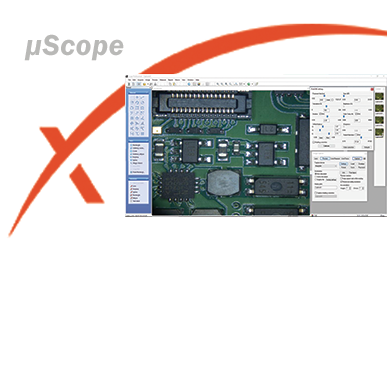
Pixelink μScope is a software tool developed for the microscopy marketplace. It gives users the ability to quickly and easily capture, measure and enhance images. In addition to this it can also correlate image data effectively and output data in a format that can be further analyzed by other software packages.
Choose from three different software versions:
Pixelink μScope Essentials (ES) is an easy-to-use robust image capture tool optimized for productivity.
Pixelink μScope Standard (SE) has added features, making it a highly productive image capture tool for microscope.
Pixelink μScope Pro (PRO) is for users needing more advanced tools for their microscopy requirements. This feature-rich applications includes tools such as z-axis, extended focus imaging, shading correction, and reflected light subtraction.
-
µScope Essential
-
µScope Standard
-
µScope Professional
-
Brochure
Pixelink offers professional microscopy image measurement software designed exclusively for Pixelink microscope cameras. Featuring a 32-bit /64-bit application for MS Windows and offering live measurement and overlay settings, users can perform measurements on the live preview image using the crosshair or grid masks to center and count. A time-lapse capture function supports TIF, BMP and JPG file formats and video movie recordings can be saved in AVI, MPG, MPEG and MOV formats
Download Trial Version of Pixelink μScope Essentials
Note: µScope will operate in a trial mode unless you have a µScope dongle connected to your computer.
Pixelink µScope Standard
The Pixelink µScope Standard microscope software offers you feature-rich image measurement and processing software for use with all Pixelink microscope cameras. Pixelink µScope Standard microscope software includes all the features present in our µScope Essentials software plus:
-
Auto and Semi-Auto Calibration option: Auto and semi-auto calibration functions allow the software to automatically calculate the pixels-per-unit value. You only need to set the unit for the calibration scale and the distance between the scale marks. This feature greatly improves the accuracy measurements and speeds repeat measurements.
-
Line Profiling: Single, multiple, parallel and polyline commands provide Gray/Red/Green/Blue intensity values for specific lines within an image. The profile data of each pixel on the line can be exported to Microsoft® Excel.
-
Image Processing: Manual Brightness, Contrast, Gamma, Background Subtraction, Histogram, Clone, Crop, ROI, Resize, Rotate, Split, Image Mode Change, Grayscale, RGB, HSB, YUV Pseudo Color view, ull range of enhancement and morphology filters and 8bit and 16bit per channel
Download µScope Standard Trial Version Here
Note: µScope will operate in a trial mode unless you have a µScope dongle connected to your computer.
Pixelink µScope Pro microscope software offers professional image analyses and features the latest in acquisition, analysis and reporting functionality. Including all the features of µScope Standard microscope software, µScope Pro also offers:
- Image Stitching to create a mosaic of the “Big Picture”: With our software, you can create auto and manual composites of continuously captured images in order to minimize the reduction in the field-of-view that typically comes with increased magnification. Combined images are automatically corrected for brightness without stitching marks.
- Z-Axis Extended Focus Imaging (EFI), with displacement compensation for stereo Microscopes: Samples with curves or of varying heights are difficult to bring into focus under highly magnified conditions. Moreover, stereomicroscopes take tilted images due to their structural characteristics. Thus, each image is out of its supposed position when you move the microscope to the Z-axis to obtain the right focus. Our displacement compensation function allows you to rearrange these images automatically and manually. The software can combine a stack of images sequentially captured at different levels of focus and combine them into a single in-focus image. You can count on our software not to leave any trace of the composites.
- 3D Visualization to clearly view complex structures: A three-dimensional picture can be created from any image. The 3-D presentation is based upon intensity values of the image and can be displayed as a normal or wire frame image. Z axis information can easily be adjusted to optimize the 3-D effect. To better visualize an image in 3-D, the software offers a full 360 degrees of rotation on the X-Y-Z axis. A 3-D image can then be saved in JPG, TIF or BMP format.
- Auto Trace: Using an automatic edge detection algorithm, our software will perform an auto trace measurement function around a closed object. This function greatly increases accuracy and saves time when making measurements of complex shapes.
- Fluorescent image composition: Merge and pseudo-color monochrome images into a single RGB composite.
- Fast and perfect focus enhancement: μScope Professional implements a perfect function of focus compensation irrespective of the status of lights and specimens.
- Shading Correction
- Reflected light subtraction: μScope Professional creates clear, evenly-illuminated images by removing the bright saturated light from a highly reflective sample.
Download µScope Professional Trial Version Here
Note: µScope will operate in a trial mode unless you have a µScope dongle connected to your computer.


Have any questions?
Speak to a member of our team today.