


Pixelink Capture Software
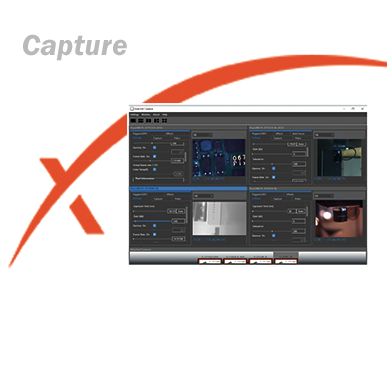
Pixelink Capture is a robust image preview and acquisition software included with all Pixelink cameras. Designed for precision and ease-of-use, it gives users full control over camera settings in a real-time environment—ideal for both single and multi-camera setups. With an intuitive GUI, users can effortlessly adjust key imaging parameters such as region of interest (ROI), exposure, gain, frame rate, and color—all before capturing still images or video clips.
Streamline Your Imaging WorkflowThe software supports a customizable multi-window interface featuring:
-
Live preview and configuration panels
-
Real-time histogram display
-
Simultaneous control of up to four cameras
Advanced tools like built-in measurement features and integrated autofocus for supported lenses make Pixelink Capture ideal for a wide range of applications—from R&D labs to industrial inspection environments.
Key Features
-
High-quality image and video capture
-
Real-time video streaming
-
Full control of trigger and GPIO settings
-
Resizable region of interest (ROI)
-
Customizable multi-camera views
-
Integrated zoom and focus controls
-
Autofocus support for Navitar, Corning Varioptic, and Edmund lenses
-
Built-in measurement tools for accurate dimension
-
Export measurement data directly to Excel
Whether you're managing a complex vision system or fine-tuning a single-camera setup, Pixelink Capture delivers the flexibility and precision you need—without the complexity.
-
Software Screenshots
-
Pixelink Capture Downloads
-
Brochures


Pixelink Capture is a real-time, interactive, multi-camera software application compatible with all Pixelink PL-D cameras. With a built-in autofocus feature, Pixelink Capture offers tremendous flexibility and power allowing the ability to configure and test multi-camera vision setups.
Download Pixelink Capture Software
Please see the installation guide here: Installing the Pixelink Software SuitePixelink Software Suite for 64-bit Systems
Frame Rate Calculator
The Frame Rate Calculator application allows users to calculate a frame rate and approximate bandwidth utilization for a particular camera at the specified settings.
How to use Frame Calculator
Pixelink Capture 3.2 for Windows
Looking for software for Pixelink M-Series Microscopy Cameras?
µScope is a streamlined image analysis application that offers a wide range of unique image reading, measurement and enhancement tools designed exclusively for Pixelink® digital cameras.


Have any questions?
Speak to a member of our team today.